
Cold Room Temperature Monitoring and Records: From Manual Logs to Automatic Monitoring

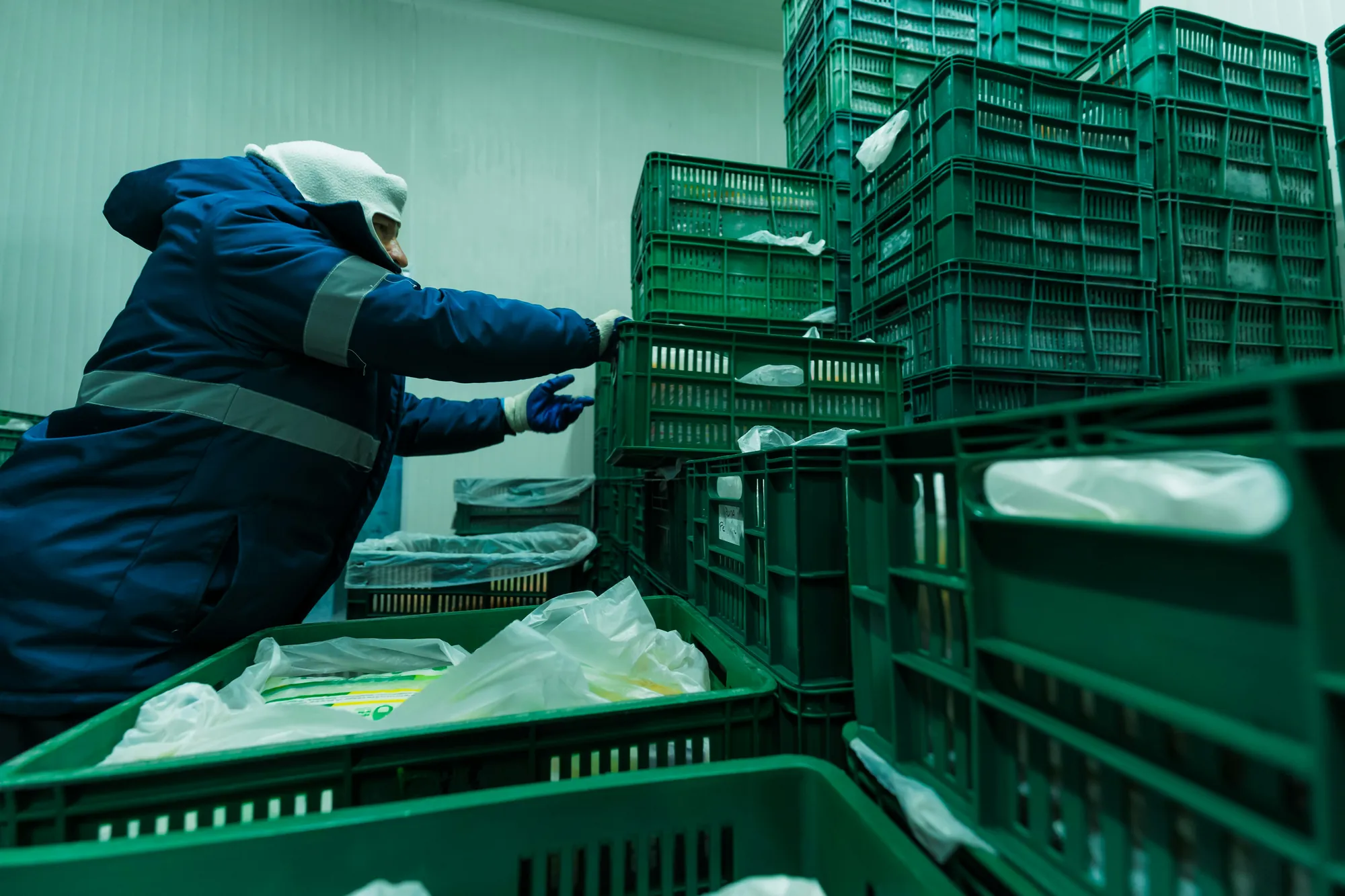
A cold room can spend the entire night outside its permitted temperature range without anyone knowing. If staff record readings by hand at opening and closing, everything between those checks is invisible to the control system: a compressor failure at 3 a.m. or a door left ajar after a delivery.
Cold room temperature records serve two purposes: proving that products were stored under the right conditions and detecting promptly when those conditions change. Manual logs can serve the first purpose reasonably well in small facilities, but are less effective at the second.
This guide explains how to monitor and record temperatures, how manual and automatic records differ, and what to consider when moving to temperature monitoring.
How Do You Control the Temperature of a Cold Room?
Cold room temperature control means keeping the room within the range appropriate for the products it stores. A temperature record provides evidence that it stayed within that range.
Control depends on the refrigeration equipment and its settings (setpoint, differential, defrost cycles), as well as day-to-day operations: how often and how long doors are opened, how the room is loaded, the temperature of incoming products, and the condition of seals and insulation. Even a properly sized cold room can drift out of range because of repeated poor practice.
In the food industry, storage temperature is one of the factors that a food safety management system must monitor. This is why the HACCP temperature monitoring plan specifies each room’s permitted limits, checking frequency, responsible person, and corrective actions when a deviation occurs.
The same approach applies to other sectors that use cold rooms and temperature-sensitive products: pharmaceuticals and the distribution of medicines and vaccines, often stored between 2 and 8 °C with demanding traceability requirements; laboratories and healthcare facilities storing samples and reagents; and cold-chain logistics operators storing products for third parties. The ranges and applicable rules vary, but the need for continuous measurement, timely detection, and reliable records remains.
How Do You Record a Cold Room’s Temperature?
There are two approaches: write down readings at specific times, or use equipment that measures and saves data continuously.
Manual Temperature Logs
With manual logging, a person reads the cold room thermometer or display at set times, usually once or twice a day, and enters the value on a log sheet with the date, time, and their signature.
In many facilities, one person knows how to keep the records properly: which units to check, when to check them, and why care matters.
When that person is away (on holiday, off sick, at weekends or between shifts), a substitute may complete the task without understanding its purpose. Readings are missed; one entry is taken to cover a whole day; values change without explanation; or some units are not checked at all.
There are other limitations:
- A reading captures only one moment. A deviation lasting several hours between checks will not be recorded.
- Paper records can be lost or damaged and are hard to analyse. Finding a trend, such as a room running one degree warmer each week, means reviewing sheets one by one.
[Insert HACCP temperature log template banner here]
HACCP Temperature Log: Excel Template | EcoMT
Automatic Temperature Recording
For automatic recording, a temperature probe measures at fixed intervals (for example, every five or ten minutes), and the readings are stored without manual intervention.
There are three main options:
- Standalone temperature data loggers store readings in internal memory and must be downloaded periodically. They provide a continuous record but do not send real-time alerts.
- Connected monitoring systems send sensor readings to a platform in real time. The platform stores and displays them and triggers temperature alarms when a threshold is crossed.
- Platforms that connect all refrigeration equipment bring units together in one system, regardless of brand or age. Modern displays, cold rooms and freezers already measure temperature, and their readings can often be connected directly; older units may need a probe. The platform can also capture equipment and plant alarms, such as leaks and pressure faults, and apply rules where built-in alarms are unavailable. Door sensors show when rooms or cabinets have been left open.
The distinction matters: the first shows what happened; the second lets you act while it is happening; the third lets you cover the entire site, including equipment without built-in sensors.
This is OTEA’s approach: bring equipment that already produces data and equipment that needs sensors into one platform, so records, alarms and notifications work consistently across the facility.
When Is Automatic Temperature Recording Required?
As a general rule, food hygiene legislation requires temperatures to be controlled and recorded within the HACCP system, but does not prescribe one method. Manual records are acceptable if they provide adequate control.
The main exception concerns quick-frozen foods. Regulation (EC) No 37/2005 requires transport vehicles and storage facilities for these products to have instruments that automatically record air temperature, meet the applicable technical standards, and retain records for at least one year. Retail display cabinets and small retail cold rooms may use a visible thermometer instead.
Even when the law does not require it, customers and certification schemes such as IFS and BRCGS may ask for continuous records and alarms. For product-specific temperatures and requirements, see Food Cold Chain Regulations in Spain: Temperatures, Monitoring and Responsibilities.
What Is the Difference Between Manual and Automatic Temperature Logs?
| Manual logging | Automatic recording | |
| Data capture | Read a thermometer or display and record on paper or a spreadsheet | Direct measurement from the unit’s probe or an added sensor, with automatic storage |
| Human involvement | Required for every reading | Needed to review data, respond to alarms and document corrective actions |
| Frequency and continuity | Periodic (one or two readings per day) | Continuous, every 15 minutes, 24 hours a day |
| Detecting deviations | Only if they coincide with a reading | Immediate, including nights and holidays |
| Alerts | None | Configurable alarms based on threshold and duration, sent to responsible staff |
| History | Paper sheets that are difficult to search and analyse | Searchable, exportable digital temperature history |
| Scalability | Workload increases with each cold room | Adding rooms barely changes the workload |
Early detection prevents product losses
Another important difference is the time between a cold room leaving its permitted range and someone finding out. With manual logs, a fault on Friday night might go unnoticed until Monday morning. By then, the question is no longer how to restore the temperature but what to do with everything in storage: withdraw it, destroy it, or establish that it remains safe.
There are also restocking costs and service disruptions. If the product reaches consumers, there are food safety and reputational risks.
With automatic recording, an alert arrives when the deviation occurs. Early detection makes it possible to intervene before a fault results in lost stock. That can mean the difference between calling a technician and emptying a full cold room.
By comparison, a monitoring system often costs a fraction of the value of the contents of one full cold room.
How Does a Cold Room Temperature Monitoring System Work?
A temperature monitoring system has four components: sensors that measure, infrastructure that transmits readings, rules that identify problems, and storage that preserves the record.
Temperature Sensors and Probes
Cold room temperature sensors must be sufficiently accurate for the operating range, whether above or below freezing, and withstand humidity, condensation and, in freezers, very low temperatures.
Sensor placement matters as much as the sensor itself. A probe by the evaporator outlet reads colder air than the product experiences; a probe beside the door captures every opening as a deviation. It is generally placed in a representative area away from direct air currents. For sensitive products, a probe may also be placed in a product simulator, such as a glycol-filled container, to dampen short air-temperature spikes and better approximate product temperature.
Temperature is not the only useful variable. Relative humidity affects many products: air that is too dry dehydrates fruit, vegetables and meat, causing weight loss, while excessive moisture encourages condensation, mould, and damage to packaging and labels. Many sensors measure both variables. Looking at them together can reveal risks, such as condensation after a door is left open, that temperature alone will miss.
Collecting and Transmitting Data
Each probe sends data to the platform by cable or wirelessly through an IoT gateway. Where cold rooms already have electronic controllers or a central refrigeration plant, readings can also be taken directly from those systems or their PLCs without installing new sensors.
One often overlooked question is what happens if the connection drops. A sound system stores data locally during an outage and uploads it when the connection returns, avoiding gaps in the record.
Temperature Thresholds and Alarms
Each room needs temperature thresholds aligned with the limits in its HACCP plan. To make alarms useful, combine a threshold with a duration: a two-minute rise during loading or defrosting is normal, whereas the same rise sustained for thirty minutes may not be. Without a delay, staff receive so many false alarms that they start to ignore them.
Alarms should reach the right person through the right channel (app, email, SMS or phone) and escalate if no one responds. The system should also record who handled the incident and what corrective action was taken, as required by the food safety plan.
Historical Records and Traceability
The temperature history provides evidence for an inspection, a customer audit or a claim. It should be complete, tamper-resistant, easy to search by room and date range, and exportable as a report.
Beyond compliance, the history reveals trends: a room that takes progressively longer to recover after a door opening, lengthening defrost cycles, or equipment operating at its limit. These can signal a fault before products are affected.
What Should You Look for in a Cold Room Monitoring System?
- Accuracy and calibration. Check that sensors meet the product’s accuracy requirements and that the supplier provides and documents periodic checks.
- Compatibility with existing equipment. Many sites have cold rooms of different ages and brands, with electronic controllers already measuring temperature. A system that reads those controllers avoids replacing working hardware.
- Supplier independence. Some systems work only with the vendor’s sensors and platform, making expansion, sensor replacement or data migration dependent on that vendor. Check whether the system supports third-party devices, whether data can be exported and integrated elsewhere, and what happens to the historical record if the platform changes.
- Reliable communication. Look for local storage during outages, sensor battery life, and alerts when a sensor stops sending data.
- Configurable alarms. Set room-specific thresholds and delays, escalation paths, and a record of corrective actions.
- History and reports. Retain data for the required period, generate inspection-ready reports, and export records easily.
- Scalability. Adding another cold room or site should require configuration, not a new project.
- Integration with other data. Temperature tells only part of the story. Combining it with door openings, compressor status or equipment energy use helps explain why a room drifts out of range.
This last point distinguishes an isolated probe system from a platform. With OTEA Software, cold room monitoring sits within a data environment that connects equipment across a site, including refrigeration, HVAC, lighting, compressed air, electrical panels, solar PV and EV chargers, through PLCs and IoT gateways, regardless of equipment brand or age.
Temperature control therefore becomes part of site operations rather than another standalone system to maintain.
How Can You Monitor Several Cold Rooms in One System?
When a site has several cold rooms, checking and recording each one separately multiplies the work and scatters the information. Centralisation brings every room onto one screen, with its current status, active alarms and temperature history.
Centralisation brings three practical advantages:
- Consistent rules. Thresholds, delays and responsibilities follow the same logic across all rooms instead of varying by equipment or shift.
- One alarm workflow. Incidents arrive in one place, are prioritised, and remain documented through resolution.
- Room-to-room comparison. Seeing rooms with the same use side by side helps identify which performs worse and why.
Across multiple sites, the same approach becomes organisation-wide cold chain management. See How to Monitor a Supermarket Chain’s Cold Chain from One System.
Supermarket cold rooms are already monitored. What is often missing is a way to centralise that information: alarms sent by SMS to one person, dashboards visible only on site, separate software for every manufacturer. Bringing the data into one platform, regardless of brand or age, allows every room to be managed to the same standard and supports early detection rules before an incident becomes a breakdown.
Recommended for you


You deserve a facility management system that works with you
Request a free demo and discover how other maintenance, sustainability, and energy efficiency teams are achieving real results. No unnecessary complexity. Just a clear roadmap designed to scale with you.



